What Is Computer-Assisted Translation? CAT Tool Explained
Computer assisted translation tools have become the backbone of professional translation workflows. If you've ever wondered how translators handle massive documentation projects without losing their minds-or their consistency-CAT tools are a big part of the answer. Here's what they are, how they work, and how they fit alongside machine translation services.

Quick answer: what is computer-assisted translation?
Computer assisted translation (CAT) refers to computer software that supports a human translator during the translation process, rather than replacing them. The translator works segment by segment through a document while the tool provides suggestions, enforces terminology, and stores completed work for future reuse.
CAT tools are not the same as machine translation engines like Google Translate, DeepL, or MixTranslate's AI translator. Those are automated translation systems. CAT tools, by contrast, are work environments where professional human translators do the actual translating-assisted by technology that handles repetitive tasks and consistency checks. The translator remains in control of the final translation throughout the entire CAT process.
Think of it this way: if you're translating a 200-page technical manual from German to English, the same sentences ("Turn off power before servicing") appear dozens of times. A CAT tool recognizes these repeated source segments, fills in the previous translation automatically, and lets the human translator focus on new or complex content.
- CAT tools store and reuse previous human translations to speed up work
- The human translator controls all final wording decisions
- CAT tools enhance human translation efficiency and quality without replacing the translator's language skills or contextual understanding
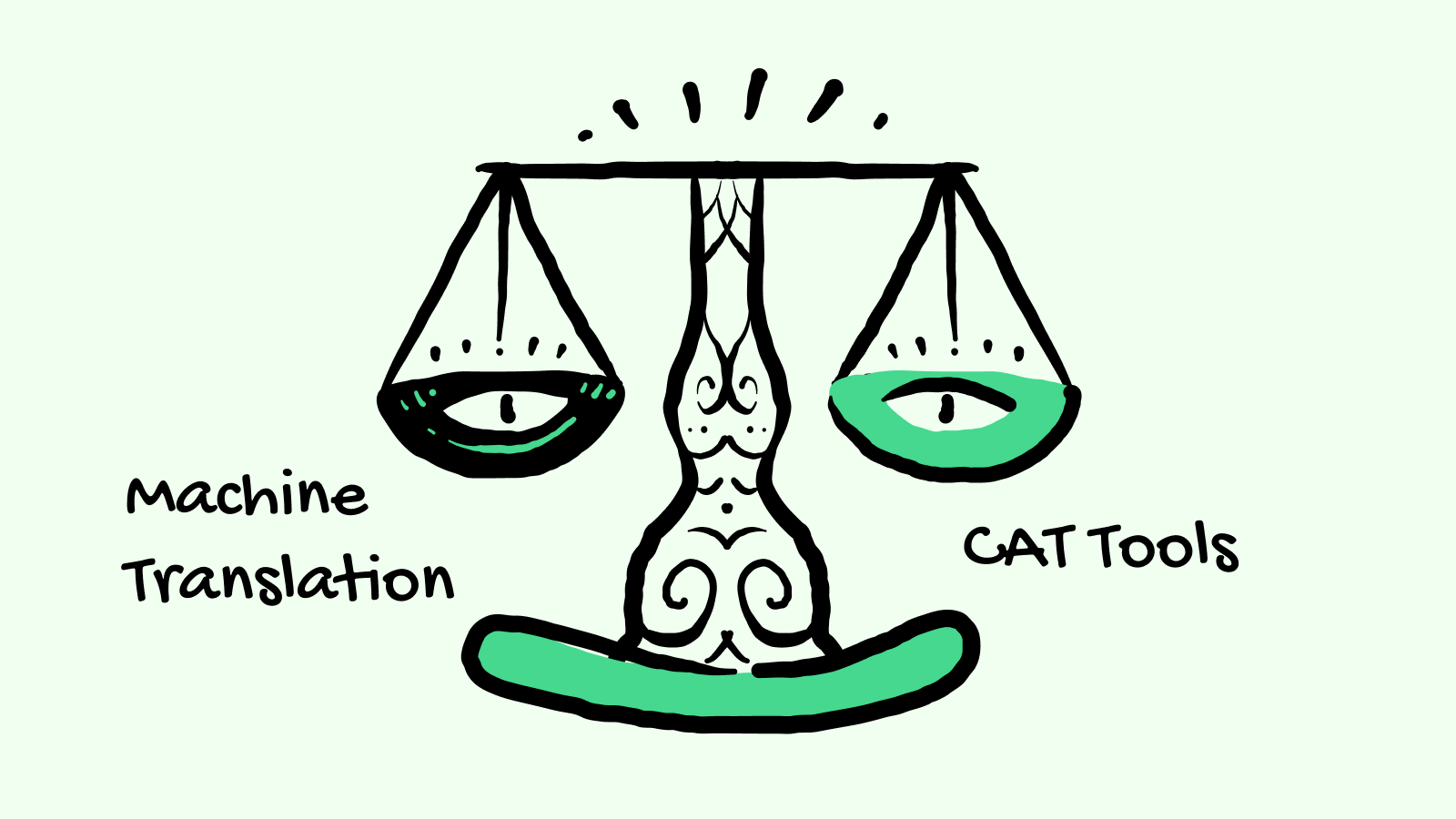
Computer-assisted translation vs. machine translation (MT)
Machine translation is fully automated translation produced by AI or statistical models, without requiring human input for each segment. Well-known MT systems include Google Translate, DeepL, and MixTranslate. Machine translation is suitable for quick, informal translations-internal emails, rough comprehension, or first drafts.
Computer aided translation is fundamentally different. It's computer assisted, meaning a human translator is actively working while the software organizes content, suggests translations from a translation memory, and enforces consistency through termbases and quality assurance features.
| Dimension | CAT tools | Machine translation |
|---|---|---|
| Who translates | Human translator does all translation decisions | Machine algorithm generates the translated text |
| Quality control | In the translator's hands via QA checks and review | Varies; often requires post editing for accuracy |
| Typical use cases | Legal contracts, technical manuals, software UI | Quick email drafts, user-generated content |
| Data source | Translation memory stores previously translated segments | Neural networks trained on large corpora |
| Human intervention | Required throughout | Optional (post editing) |
Many modern workflows combine both in a hybrid approach: an MT engine generates a rough draft, which is then imported into a CAT tool for human post editing and quality checks. This blends speed with control.
MixTranslate fits as an AI and machine translation software service that provides high quality translations as first drafts. Translators can then refine those drafts inside their preferred CAT tool, adding them to translation memory systems for future reuse.
How does computer-assisted translation software work?
Most CAT tools work as specialized editors. They load a source document, break it into segments, and let the human translator work through each one with the help of stored resources. CAT tools do not replace the translator's language skills-they structure the workflow so nothing gets missed.
Segmentation breaks documents into smaller, manageable units for translation. Sentences, headings, and list items from formats like DOCX, HTML, JSON, or InDesign IDML are split into segments aligned horizontally-source text on the left, target text on the right. The translator works through each segment individually.
As the translator types, the CAT tool saves each source–target pair into a translation memory database. Translation memory stores previously translated segments of text for reuse. When a matching or similar source segment appears later, the tool suggests the existing translation. A "100% match" means the source segment is identical; a "fuzzy match" (75–99% similarity) means it's close and the translator can adapt it. Translation memory suggests existing translations for similar content, which reduces duplication of effort and speeds up the translation process over time.
CAT tools also connect to termbases, QA checkers, and sometimes external machine translation engines-all offering suggestions without taking control away from the translator. CAT tools support multiple file formats while preserving the original layout, tags, and code structure when the finalized translation is exported.
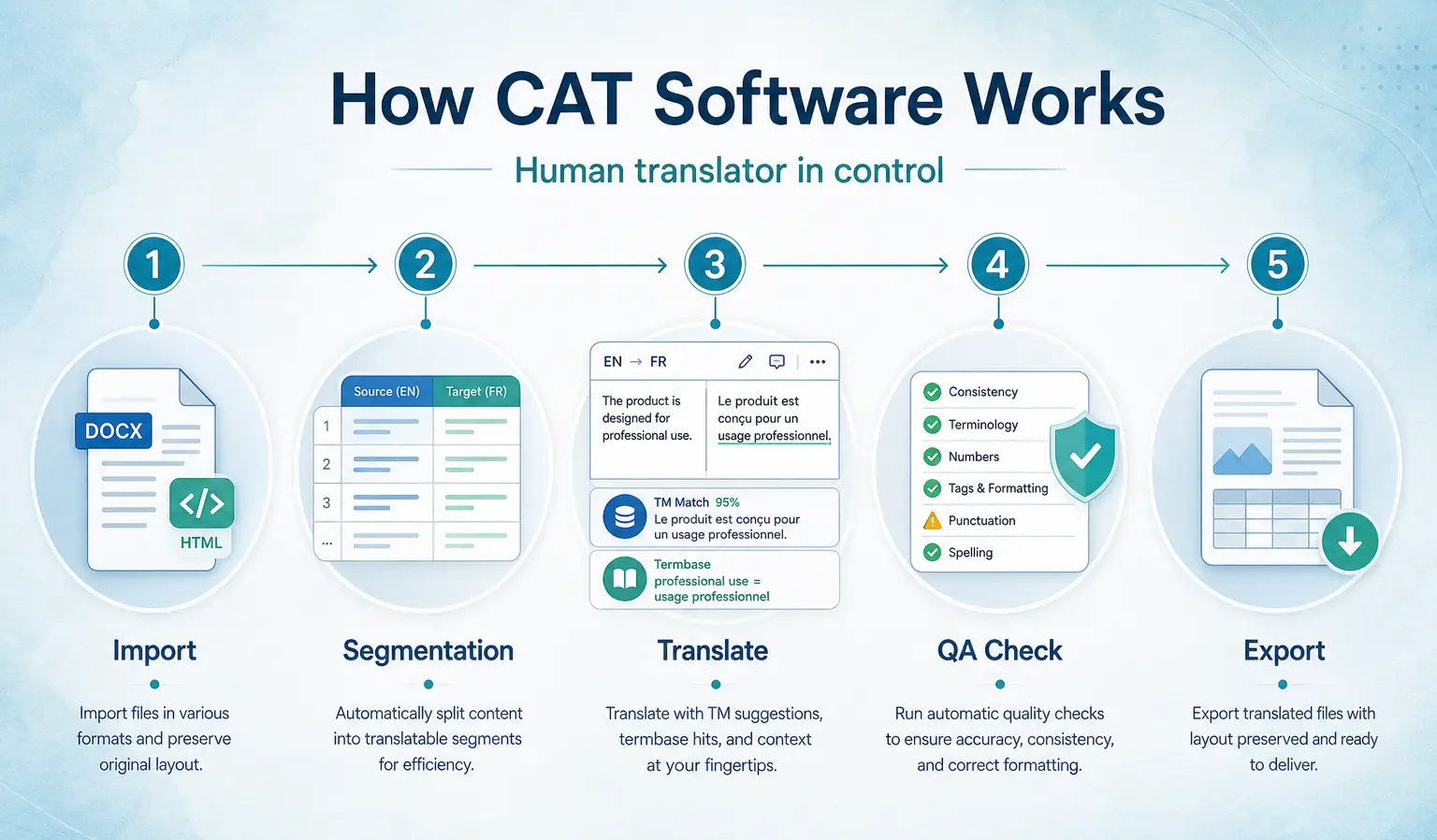
Typical workflow:
- Import the source document into the CAT tool
- Segmentation splits the document into sentences and phrases
- Translation with memory suggestions, terminology lookups, and optional MT drafts
- QA checks for errors, inconsistencies, and formatting issues
- Export back to the original file format with layout preserved
Key components of computer-assisted translation tools
Modern CAT tools are built from several core components that work together to support human translators. Each one addresses a different part of the translation project.
A translation memory is a bilingual database that stores source and target segments. Every time a translator confirms a segment, it's saved. Over time, translation memory grows into a powerful asset-it's the main reason cat tools work so efficiently on repetitive documentation like manuals, software UI strings, and legal contracts. Modern systems enrich translation memory suggestions with context, helping translators pick the right match faster. Translation memory speeds up translation over time as the database expands.
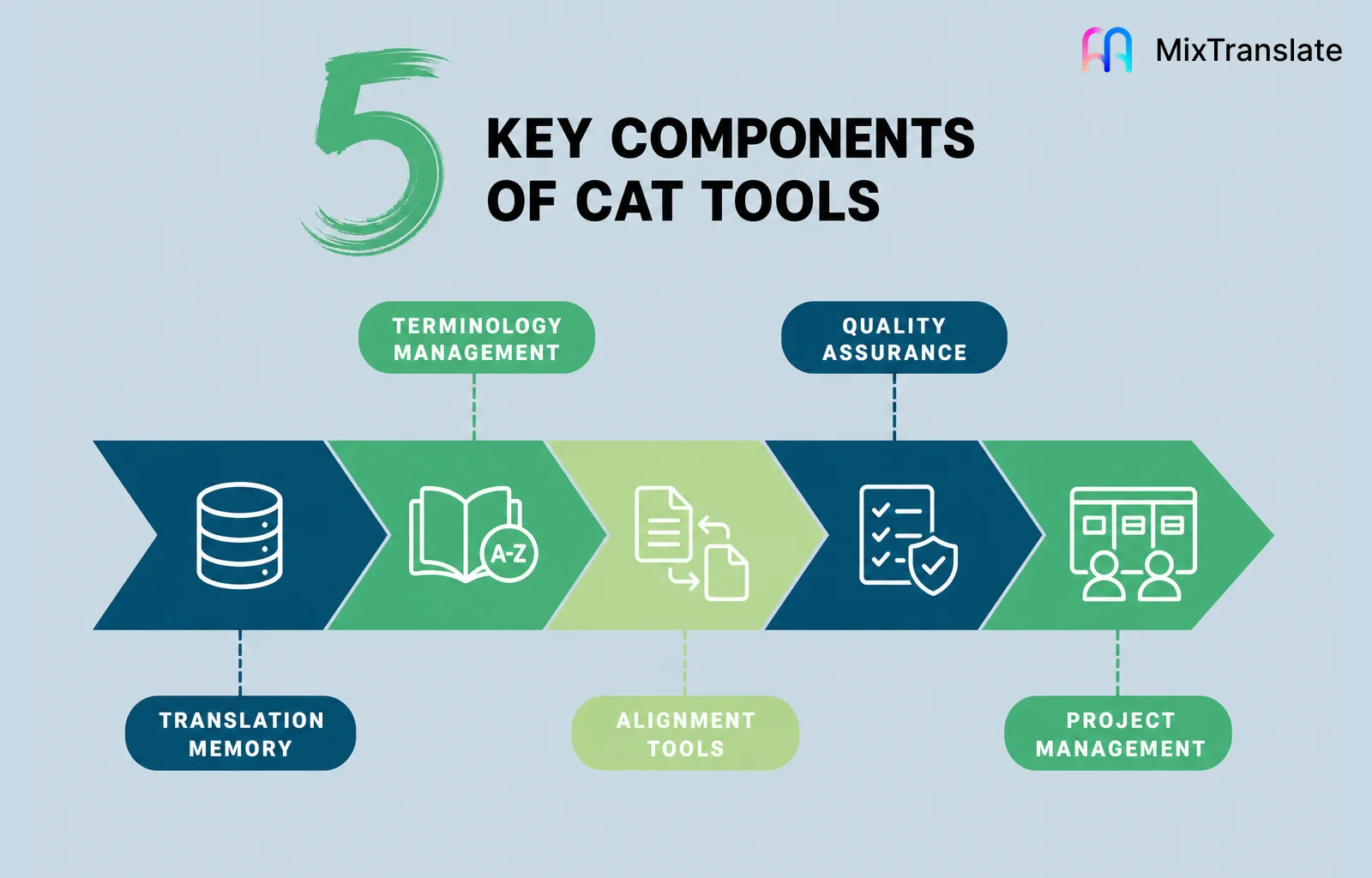
Terminology management ensures consistent translation of key terms across documents. A termbase is a structured glossary that stores product names, legal phrases, industry jargon, approved translations, forbidden alternatives, and usage notes. Termbases help maintain consistent translations of technical terms across documents, which matters enormously for brand voice and regulatory compliance.
Alignment tools take existing parallel reference documents-say, an English contract and its 2018 German translation-and align sentences to build a new translation memory from work that was translated previously without a CAT tool.
Quality assurance checks automatically scan for spelling errors, punctuation problems, inconsistent numbers, missing tags, and terminology violations. Quality assurance features help identify translation errors before review, catching mistakes that even experienced translators might overlook during long projects.
Project management features handle job assignment, progress tracking, version control, and file management-essential for agencies and in-house localization teams where project managers oversee multiple language pairs simultaneously.
Types of computer-assisted translation software and tools
Computer assisted translation tools cover a spectrum of software types, from classic desktop applications to cloud-based platforms and specialized utilities.
Standalone desktop CAT tools like SDL Trados Studio, memoQ, and Déjà Vu are installed locally. They offer offline work, file-based translation memories, and perpetual or subscription licensing. Individual translators and agencies have relied on these for decades, and they remain the go-to for many professional workflows.
Cloud-based CAT editors and translation management system platforms-such as Phrase (formerly Memsource) and Smartcat-provide browser-based translation with real-time collaboration. Multiple translators can work on the same translation project simultaneously, sharing translation memories and termbases. These are increasingly popular with distributed teams aiming to translate content across international markets.
Specialized tools support specific parts of CAT workflows: TM managers for searching how a phrase was translated in a previous translation, terminology management software for maintaining style guides and glossaries, and alignment tools for building TMs from legacy content. Many organizations now embed CAT capabilities into broader localization platforms that integrate directly with CMSs, Git repositories, and design tools like Figma.
Benefits and limitations of CAT tools for human translators
Computer assisted translation tools are designed to maximize the strengths of human translators, but they also introduce trade-offs worth understanding.
Productivity. Using CAT tools significantly reduces time and cost for large translation projects. Translation memory and keyboard shortcuts let translators reuse thousands of segments instead of retyping them. According to industry surveys, about 88% of professional translators use at least one CAT tool, and 70% of translators report increased productivity with CAT tools. CAT tools help translators work more efficiently, especially on repetitive content types like user manuals and software strings.
Consistency and quality. CAT tools improve translation quality through structured workflows. Centralized terminology and QA checks maintain consistency across different languages and content types, even when multiple translators collaborate on the same project. CAT tools allow collaboration among multiple translators while maintaining terminology consistency. Higher quality translations arise from the combination of human expertise and software tools.
Cost efficiency. Organizations save money by not retranslating repeated content. Yearly product catalog updates, for instance, may reuse 60–70% of a previous translation, dramatically cutting billable hours. It improves consistency and reduces duplication of effort across projects.
Creative and literary work. CAT segmentation and memory reuse are less useful for poetry, marketing slogans, and highly creative content where repetition is low and style variation is essential. Manual translation or a lighter MT-first workflow may serve better here.
Setup and learning curve. Building translation memories, termbases, and quality rules takes time. Freelance translators must learn each new tool's interface-surveys show nearly half of CAT users have fewer than 10 hours of formal training.
Overreliance on old translations. Blindly accepting TM matches can perpetuate outdated terminology or previous mistakes if governance is weak. Regular TM maintenance is essential to ensure accuracy.
CAT tools are ideal for technical, legal, and repetitive documentation. For creative or fast-turnaround projects, a lighter workflow-using MixTranslate to generate accurate translation drafts with human editing-may be more appropriate.
How CAT tools fit into modern AI and machine translation workflows
The 2020s have brought a decisive shift toward hybrid workflows where CAT tools, machine translation, and large language models work together with human translators. The technology aids the translator rather than replacing the human touch.
Pre-translation with MT is now standard for high-volume content. Source text is first run through machine translation engines-such as MixTranslate, DeepL, or others-and the resulting draft is imported into a CAT tool. The human translator then handles machine translation post editing, applying terminology fixes, style adjustments, and QA checks. CAT tools integrate with machine translation for improved workflows, combining speed with the accuracy that only human input provides.
Some CAT environments now offer interactive MT: real-time suggestions at the segment level that update as the translator works, allowing translators to accept, reject, or modify on the fly. Research into adaptive MT shows positive user acceptance when these systems learn from translator corrections over time.
AI-assisted features inside modern cat tools include automatic quality scoring, style suggestions tied to style guides, and predictive typing-all powered by integrated AI models but still leaving the human translator in control. CAT tools ensure consistency across different languages through these automated checks.
MixTranslate's strength in this ecosystem is letting linguists and content teams compare outputs from 20+ models on a single platform, pick the best draft, tune tone and terminology, and then bring that chosen version into their preferred CAT tool as a starting point.
A typical hybrid workflow:
- Prepare source text and extract text from images if needed
- Generate MT drafts using MixTranslate to compare across models
- Import the best draft into a CAT tool
- Human translator edits, applies TM matches, and runs QA
- Export the final document in its original format
Choosing and using the best CAT tool for your needs
The best CAT tool depends on who you are-a freelance translator, an in-house localization manager, or a marketing team-and what content types you handle. There's no universal answer.
When evaluating, consider: supported file formats (can it handle your source document types?), translation memory and terminology features, integration with machine translation providers, collaboration options for teams, licensing cost (per-seat vs. subscription), and data security policies.
Data privacy deserves special attention. When using MT within CAT tools, check whether your translated text is stored or used to train external models. MixTranslate's privacy policy guarantees that content is not stored for model training-a meaningful differentiator for teams handling sensitive material in certain aspects of legal or medical translation.
For human translators starting with CAT, begin with a small project. Build an initial TM from previous work using alignment tools, add a basic termbase, and gradually layer in QA rules. Don't try to configure everything at once-that's how tools end up abandoned.
Organizations should pilot one or two CAT environments with real content and reviewers, measuring throughput, translation quality, and reviewer satisfaction rather than just comparing feature checklists.
Quick selection checklist:
- Does it support your source language and target language pairs?
- Can it import TM and termbase formats you already use?
- Does it integrate with your preferred MT provider?
- What are the data privacy guarantees?
- Does pricing work for individual translators or teams?
Where MixTranslate fits in a CAT-based translation strategy
MixTranslate is a machine translation and AI comparison platform, not a computer assisted translation cat tool. It's designed to complement CAT tools rather than replace them-sitting upstream in the workflow where initial drafts are generated and compared.
Translators or content teams can use MixTranslate to paste or upload text, compare translations from 20+ AI models in languages spanning 150+ options, and choose the output that best matches their needs. Tone and style preferences can be adjusted, and terminology guidance applied before a single word enters the CAT environment. This is especially valuable for marketing copy where one language may need a formal register while another needs casual phrasing.
The selected translation is then imported into a CAT tool as a pre-translated draft. From there, the translator works through human review, quality assurance, and integration into translation memory systems-building an asset that increases productivity on every future project.
MixTranslate capabilities that pair well with CAT workflows include terminology consistency checks across models, image-to-text extraction that prepares source text for later translation, and clear quality indicators that help decide when human review is essential versus when the draft is ready for light editing.
Use MixTranslate for:
- Generating high quality translations as first drafts from multiple AI models
- Comparing tone and style across outputs before committing
- Testing terminology choices across different engines
- Extracting text from images to prepare source content
- Quick multilingual checks when you need to translate from one language to many
CAT tools and machine translation aren't competing forces-they're complementary layers. Start with MixTranslate to get your best possible draft, then refine it in the CAT tool where your translation memory, termbases, and QA rules live. That combination delivers both speed and the human touch that accurate translation demands.